
For enterprise brands, product demonstrations are no longer constrained by geography, venue capacity, or the limitations of a single physical showroom. A Singapore-based 3D studio can now operate as a virtual showroom hub, producing live and pre-rendered product demos for regional and global audiences with broadcast-grade fidelity, low-latency distribution, and hybrid event interoperability. This model is especially valuable for B2B event streaming teams that need to present complex products, industrial systems, medical devices, automotive solutions, technology platforms, or capital equipment to buyers, channel partners, investors, and internal stakeholders across multiple time zones.
The technical challenge is not simply to make a product visible on a screen. The challenge is to preserve dimensional accuracy, material realism, motion fidelity, audio intelligibility, and presentation control while routing the signal through an enterprise streaming infrastructure that is reliable enough for live demonstrations and scalable enough for global distribution. In practice, the virtual showroom combines 3D rendering pipelines, multi-camera production, real-time switching, audio mixing, captioning, network redundancy, and platform integration into one coherent hybrid production workflow. Singapore is an especially strong operational base for this kind of work because of its high-density connectivity, mature enterprise infrastructure, proximity to APAC headquarters, and strong alignment with international production standards.
When executed correctly, a virtual showroom becomes more than a broadcast. It becomes a controlled demonstration environment that allows a presenter to walk around a digital twin, trigger animations, compare configurations, switch camera angles, overlay technical annotations, and hand off to regional teams without rebuilding the production each time. For corporate event planners, AV professionals, production managers, IT directors, and enterprise decision-makers, the value lies in consistency, repeatability, and measurable control over quality of service, latency, and audience experience.
3D Virtual Showroom Architecture for B2B Product Demonstrations
A production-ready virtual showroom begins with a 3D asset pipeline built for engineering accuracy rather than visual approximation. Product geometry is typically sourced from CAD data, then optimized into render-ready assets for Unreal Engine, Unity, or a comparable real-time 3D environment. For technical demos, the studio must manage polygon budgets, texture resolution, physically based rendering, and animation timing so that the product remains legible under live switching and compression. The objective is to produce a stable program feed that survives encoding to H.264 or H.265, often at 1080p60 or 2160p30, without introducing aliasing, banding, or temporal artifacts that would reduce confidence in the product itself.
Digital Twin Fidelity and Asset Preparation
Engineering-grade product demos depend on the accuracy of scale, proportion, surface finish, and functional motion. If the demo includes a machinery assembly, medical device interface, or electronics enclosure, the virtual model should reflect the true dimensions and operational relationships of the physical product. Material calibration matters because specular highlights, brushed metal, glass refraction, and matte polymer surfaces respond differently under studio lighting and virtual lighting. Real-time renderers must be tuned to maintain perceptual consistency across output formats, including program output, ISO recordings, and compressed webinar feeds.
For global product launches, the studio often prepares multiple scene states in advance. A single demo can include exploded views, cross-sections, internal component animations, and comparative configuration states. This allows the presenter to move through the sales narrative without interrupting the live signal chain. From a production perspective, scene pre-building also reduces runtime CPU and GPU overhead, which helps prevent frame drops and stabilizes the encoder input.
Presenter Control and Live Interaction
The virtual showroom should support operator and presenter separation. In a robust setup, the presenter speaks on camera or through a voiceover mic while a technical director, graphics operator, and stage manager control cues, transitions, and object states. Communication is handled through intercom or talkback systems, while the video chain remains isolated from control traffic. This separation mirrors broadcast practice and reduces the risk of accidental cueing or unscheduled scene changes during a live product demonstration.
Interactive control surfaces can include touchscreen panels, MIDI controllers, custom macro systems, or software dashboards that trigger animation, camera moves, and graphical overlays. The key is determinism. Enterprise events demand repeatable behavior under pressure, not improvised control logic. For multilingual sessions, the virtual showroom can also support parallel audio tracks, interpreter channels, or segmented program feeds for regional audiences.
Streaming Infrastructure, Protocols, and Signal Flow
The virtual showroom depends on a clean signal path from render engine to encoder to distribution network. Most enterprise event workflows still begin with SDI, Serial Digital Interface, for camera capture and interconnect because of its reliability, established latency characteristics, and broadcast tooling ecosystem. In IP-based facilities, NDI, Network Device Interface, and NDI|HX may be used for contribution or internal routing, while final external contribution is commonly sent via SRT, Secure Reliable Transport, or RTMPS, Real-Time Messaging Protocol Secure, depending on the destination platform and network conditions.
Encoding Strategy and Bitrate Control
Encoding choices must match the delivery context. For controlled corporate webinars, 1080p at 5 to 8 Mbps using H.264 can be sufficient when network conditions are stable. For premium product launches with detailed product textures or motion-heavy 3D scenes, 2160p workflows may require higher bitrates and more careful encoder tuning. H.265 can reduce bandwidth consumption, but platform compatibility and decode complexity must be validated in advance, especially when the feed is routed into enterprise conferencing tools or partner portals.
Bitrate management is not just a quality issue, it is a resilience issue. A stream that runs too close to the available upstream margin is vulnerable to congestion, jitter, and packet loss. In corporate environments, the production team should test available uplink capacity under real load, then reserve headroom for control systems, telemetry, and any concurrent collaboration traffic. SRT is particularly useful when the contribution path crosses variable networks because it offers packet recovery, encryption, and configurable latency buffering. RTMP remains widely used for distribution endpoints, though RTMPS is preferred when the destination stack requires transport security.
Latency, Buffering, and Synchronization
Latency targets must be defined by the event format. A fully interactive hybrid product demo involving real-time Q&A or sales conversation benefits from lower end-to-end latency, often in the sub-second to low-second range depending on platform constraints. If the session is primarily presentation-driven, slightly higher latency may be acceptable in exchange for higher robustness and image quality. SRT latency settings, encoder GOP structure, and cloud ingest paths all influence the final user experience.
Audio synchronization deserves equal attention. In a 3D showroom, lip sync, animation sync, and pointer or annotation timing must remain coherent. Professional production teams should validate sync at the encoder output, after any graphics insertion, and again at the platform receive point. If a webcast crosses from local switching into a cloud production workspace, timestamp drift and frame cadence mismatch can appear unless the source frame rate, genlock settings, and encoder profile are aligned correctly.
Production Workflow for Hybrid Event Integration
Most enterprise product demos are no longer isolated broadcasts. They are hybrid events that combine a physical control room, remote presenters, on-site executives, and virtual attendees. The production workflow must therefore support both in-room and remote participation without compromising either experience. In Singapore, this often means building a modular control environment capable of serving regional headquarters events, distributor briefings, investor calls, and customer roadshows from the same technical backbone.
Multi-Camera Switching and Program Construction
Even in a virtual showroom, camera production remains essential. A strong demo typically combines at least three visual layers: a human presenter camera, a virtual or real product wide shot, and a detail or macro view for feature explanation. These sources are switched through a hardware or software vision mixer, with embedded audio and graphics keying where required. For larger productions, an auxiliary multiview feed allows the director to monitor all sources, confidence monitors, and return feeds simultaneously.
ISO recording is a critical best practice. Each camera, graphics source, and sometimes the program feed itself should be recorded separately for post-event review, localization edits, compliance archiving, and versioned content repurposing. This is especially important when product claims must be reviewed by legal, regulatory, or engineering teams after the live session. In enterprise environments, having discrete ISO assets also shortens the turnaround time for follow-up content, which can be distributed to sales teams, regional offices, or customer success teams.
Audio Design for Technical Credibility
Audio quality affects perceived technical credibility more than many production teams expect. A virtual showroom should use properly placed lavalier or headset microphones for the presenter, with gain structure maintained to prevent clipping and excessive noise floor. Audio mixers must manage program, return, remote guest, and playback channels with clear routing logic. If remote engineers or product specialists join the session, their audio should be normalized and monitored for packet-related artifacts before it reaches the main program bus.
For large-scale demonstrations, especially those with multilingual tracks or simultaneous interpretation, routing should be designed around discrete buses and clearly documented channel maps. Reference audio should be stable across the entire chain, and loudness should be managed consistently to avoid forcing the audience to adjust volume during critical technical explanations. When the virtual showroom includes sound design elements such as product start-up cues, software UI alerts, or 3D interaction sounds, these elements must be mixed with intent so they support, rather than distract from, the product narrative.
Network Infrastructure, Redundancy, and Enterprise Reliability
Enterprise-grade virtual showroom streaming requires more than a fast internet connection. It requires engineered resilience across power, network, encoding, and distribution layers. A production team should design for failure at multiple points, because a single point of failure in a live product demo can undermine trust with prospects and internal stakeholders alike. Best practice includes dual power feeds where available, UPS protection for critical equipment, primary and secondary encoders, bonded or diverse network paths, and a validated fallback procedure if the primary contribution route fails.
Bandwidth Planning and Traffic Segmentation
Bandwidth planning should account for both uplink and internal traffic. A 4K virtual showroom feed can consume substantial upstream capacity once audio, ancillary data, and safety margin are included. Internal LAN traffic may also carry NDI streams, file transfers, collaboration tools, and monitoring traffic. Network segmentation is therefore recommended, with production VLANs separated from corporate traffic whenever possible. This reduces broadcast interference from ordinary office usage and helps the IT team enforce predictable quality of service, QoS, rules.
For managed environments, multicast handling, switch buffering, and MTU consistency should be validated when using IP video transport. If the workflow uses NDI or other IP video systems internally, switch fabric capacity and GPU decode performance become part of the operational envelope. For contribution to external platforms, the final encoder should be connected to a network path with measured stability rather than theoretical throughput. Latency jitter and intermittent packet loss are often more damaging than average bandwidth limitations.
Cloud-Based vs On-Premise Production
Cloud production platforms offer scalability, remote collaboration, and distributed access, which are useful when regional stakeholders need to participate from multiple locations. They are also effective for rapid deployment when a physical control room is not available. However, cloud workflows depend on upstream stability, platform availability, and clear rights management for assets and feeds. On-premise systems offer lower dependency on public infrastructure, tighter control over local switching, and better integration with high-end rendering hardware, but they require internal technical support and more disciplined maintenance.
In practice, many enterprise deployments use a hybrid model. The 3D render engine and primary switching remain on-site or in a dedicated studio, while cloud services handle remote guest contribution, distribution redundancy, captioning, or archive storage. This architecture provides resilience without sacrificing visual quality. It also allows a Singapore studio to support regional demos for APAC, EMEA, or North America while preserving a single technical standard across sessions.
Enterprise Platform Integration and Operational Best Practices
A virtual showroom is only useful if it integrates cleanly with the enterprise systems that the audience already uses. For internal launches and customer briefings, that often means Microsoft Teams, Zoom, or Webex integration, along with secure calendar workflows, attendee authentication, and access control. The streaming team should verify whether the platform supports the needed resolution, frame rate, caption workflow, and interaction model before locking the production design.
Platform Compatibility and Audience Experience
Teams, Zoom, and Webex each have distinct behavior regarding ingest formats, participant control, gallery view, screen sharing, and breakout functionality. A professional production workflow should test the complete path, from encoder output through platform receive point to attendee playback on managed and unmanaged networks. In enterprise settings, this includes validating corporate firewall behavior, proxy restrictions, and mobile device performance. If executives will join from conference rooms, the AV team must also test room system interoperability and display chain behavior.
Accessibility is part of technical quality. Captions, on-screen contrast, readable typography, and clear visual hierarchy improve comprehension of product specifications and are often required for enterprise compliance. When used correctly, graphics overlays can reinforce the verbal message by labeling components, illustrating workflows, or highlighting differentiators without overwhelming the screen.
Operational Readiness and Run-of-Show Discipline
High-performing virtual showroom productions depend on disciplined show calling. Every scene, camera, lower-third, animation trigger, and fallback route should be documented in a cue sheet and tested during a technical rehearsal. The rehearsal must include all major failure scenarios, such as encoder restart, source loss, presenter audio dropout, and platform reconnect behavior. For global demos, rehearsal should also validate time zone coordination, language versions, and regional distribution permissions.
From a production management perspective, the strongest results come from treating the virtual showroom as an engineered system rather than a creative experiment. That means version control for assets, change management for graphics and scripts, maintenance windows for firmware and software updates, and post-event logging for quality review. When these controls are in place, a Singaporean 3D studio can deliver repeatable, high-trust product demonstrations to audiences anywhere in the world.
Why Singapore Is an Effective Base for Global Virtual Showrooms
Singapore offers strategic advantages for a global virtual showroom operation. Its business infrastructure supports multinational coordination, its connectivity ecosystem is strong, and its role as an APAC hub makes it practical for regional launches that need to reach distributed stakeholders. For enterprise clients, this means a 3D studio in Singapore can function as a central production node for product demos that must serve multiple markets with different technical requirements, compliance expectations, and audience schedules.
The real advantage, however, is operational maturity. A studio that understands broadcast workflow, enterprise networking, and hybrid event logistics can design product demos that are precise, secure, and repeatable. That is the standard enterprise audiences expect. The virtual showroom is not just a digital presentation space, it is a controlled technical environment for communicating product value with accuracy, authority, and scale.
For organizations planning their next product launch, channel briefing, or technical showcase, the most effective approach is to build around the signal chain first, then layer on the creative experience. Start with the network, the encoder, the switcher, the audio routing, the monitoring path, and the redundancy plan. Then build the 3D showroom, the presenter workflow, and the graphics system around that backbone. That sequence produces a demo that can survive live conditions and still look polished when it reaches a global audience.
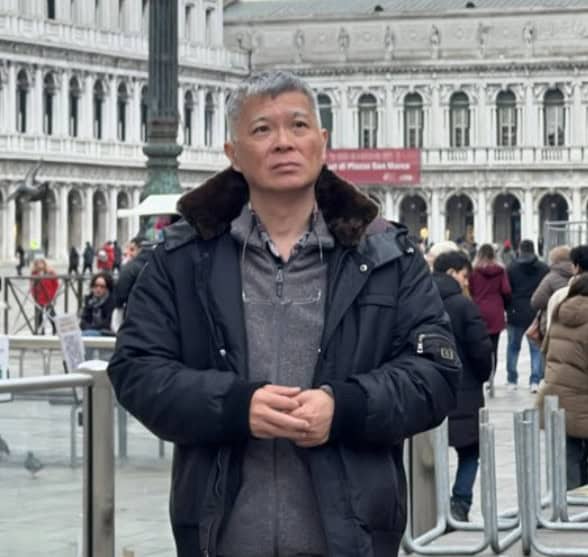
Michael Koh is a production specialist and entrepreneur who founded Spring Forest Studio in 2017 to provide event and virtual production solutions in Singapore. He specialises in hybrid live streaming, XR (Extended Reality) virtual production, and studio systems integration, transitioning the business from traditional videography to advanced corporate broadcasting. Operating out of a dedicated facility at NordCom2 in Singapore, he leads a technical crew to deliver multi-camera webcasts, digital sets, and technical consultations for large-scale corporate events.