A 3D virtual corporate stream is not simply a camera feed placed inside a graphics package. It is a tightly engineered live production system that combines real-time camera acquisition, studio-grade audio, broadcast switching, 3D scene design, encoder configuration, network transport, and platform integration into a single end-to-end workflow. For enterprise events, the objective is not visual novelty alone. The objective is consistent delivery of executive messaging, product demonstrations, keynote content, investor updates, training sessions, and hybrid audience interaction with measurable reliability, low latency, and predictable quality.
Corporate streaming teams now operate in an environment where internal stakeholders expect the polish of a broadcast, the responsiveness of a live event, and the resilience of enterprise IT. A 3D virtual set can solve many of the limitations of physical staging by allowing branded environments, dynamic product visualization, and camera compositions that would be impossible or cost-prohibitive to build practically. However, the workflow only succeeds when concept design, production engineering, and delivery architecture are aligned from the first pre-production meeting through to final stream distribution.
In a B2B environment, this workflow must be designed around operational constraints. Those include venue internet quality, firewall restrictions, latency targets, speaker confidence monitoring, backup transmission paths, and integration with enterprise collaboration tools such as Microsoft Teams, Zoom, and Webex for hybrid participation. For corporate planners and AV teams, the challenge is to create a virtual production pipeline that looks sophisticated but behaves like a disciplined live system, with clear signal flow, encoding discipline, and tested failover.
Concept Development and Technical Pre-Production
The workflow begins with concept development, but in enterprise virtual production that phase is technical from the outset. Creative direction and engineering design cannot be separated, because the visual concept determines camera requirements, stage dimensions, lighting strategy, tracking system choice, and render workload. A 3D virtual corporate stream should begin with a content brief that defines the message hierarchy, shot structure, presenter movement, interactivity needs, and the target distribution endpoints. A keynote for a regional leadership meeting, for example, will require a different production topology than a global product launch that must accommodate simultaneous viewing across webcast infrastructure and internal collaboration platforms.
Defining the Production Objectives
The first engineering task is to establish what the stream must achieve technically. Typical planning questions include the following.
- What is the primary audience, and what level of interaction is required from the virtual and in-room participants?
- Is the event fully remote, fully in-room with online distribution, or a hybrid format with live speaker contribution across both environments?
- What resolution, frame rate, and aspect ratio are required for the program feed, for example 1920 by 1080 at 25 or 30 fps, or 3840 by 2160 for UHD workflows?
- What latency target is acceptable for the platform path, the return feed, and any audience Q and A interaction?
- Will the event need ISO recording, clean feed delivery, translation channels, or multiple language outputs?
These choices drive every downstream technical decision. A production intended for executive review in Singapore, London, and New York may require secure delivery, multi-zone scheduling, and careful bandwidth planning to support global participation while keeping the live program synchronized enough for moderation and speaker timing. In enterprise use, this is not a content marketing stream. It is a controlled communications event.
3D Environment Design and Scene Blocking
Virtual set design begins in a 3D environment package or a real-time engine, where the production designer builds the virtual architecture, LED wall simulations, animated lower-thirds zones, product display surfaces, and branded motion layers. The design must be blocked against camera positions and performer eyelines. If the presenter will walk inside the virtual set, the design must preserve parallax realism, floor reflections, and scale consistency. If the workflow uses chroma key, then key color separation, spill management, and edge treatment become central to the lighting plot and wardrobe specification.
For higher-end corporate streams, tracked camera production is common because it allows virtual perspective to move naturally with the camera. That tracking can be delivered through optical, inertial, or hybrid systems, with data exposed into the real-time engine so virtual frustums remain aligned. The result is a camera move that feels anchored in space instead of composited after the fact. This is especially important for C-level presentations and product walkthroughs, where visual credibility directly affects message authority.
Camera, Tracking, and Signal Acquisition Workflow
Once the concept is locked, the physical capture chain must be engineered. In a 3D virtual corporate stream, the camera system is not only recording talent, it is also supplying timing, framing, and often tracking metadata to the render engine. The signal chain typically begins with professional cameras outputting SDI, HDMI 2.1, or IP video, depending on venue design and equipment class. SDI remains common in corporate production because of its robustness and lockable connectors, while HDMI 2.1 may appear in smaller or modular setups. For larger, IP-oriented facilities, NDI, NDI|HX, or SMPTE ST 2110 workflows may be used to move video across managed networks.
Multi-Camera and Switching Architecture
Most enterprise virtual productions benefit from a multi-camera architecture. A common arrangement includes a wide safety shot, a tight presenter shot, a profile or reverse angle, and a dedicated camera for product close-ups or audience interaction. Each camera should feed a vision mixer or software switcher capable of live cut, dissolve, and key composition. In environments requiring high resilience, the switcher should support redundant power, isolated program and preview outputs, and the ability to send a clean program feed to the encoder while maintaining separate ISO records for post-event editing and compliance review.
For larger corporate events, the switcher may also manage graphics overlays, stingers, and sponsor slates. However, in a 3D virtual set, those elements are often better generated within the real-time graphics engine to preserve spatial coherence. The live director must therefore coordinate between the camera operator, technical director, graphics artist, and virtual environment operator so that framing, virtual camera movement, and on-screen motion all remain synchronized.
Tracking, Sync, and Latency Control
Camera tracking introduces another layer of technical precision. The tracking data must align with video input timing and render latency. If tracking is delayed relative to camera movement, the virtual environment drifts, producing an unnerving mismatch between physical talent and digital scene. Maintaining synchronization requires genlock or other timing discipline where supported, frame-accurate configuration of camera ingest, and careful measurement of end-to-end pipeline delay.
Latency control is especially important if the stream includes remote presenters, live polling, or Q and A. SRT, which stands for Secure Reliable Transport, is often used for contribution links because it can tolerate packet loss better than basic UDP over unmanaged networks while preserving relatively low latency. RTMP and RTMPS remain common for distribution into cloud ingest endpoints, although many enterprise workflows now prioritize SRT contribution into a production center, then stream outward via managed distribution paths. The selected protocol should match the use case, not merely the equipment preference.
Audio, Intercom, and Program Feed Engineering
Corporate viewers notice audio failures faster than video imperfections. In a 3D virtual corporate stream, the audio chain must be treated as a broadcast-grade subsystem, not an accessory. Presenter lavaliers, handhelds, podium microphones, laptop playback, remote guest audio, and return communications all require structured routing through a digital audio console. That console should support scene recall, matrix routing, per-input processing, automixing where needed, and clean integration with the video program path.
Mixing for Corporate Messaging
Executive speech delivery depends on intelligibility. The mix should favor clarity, controlled dynamics, and consistent gain structure. A live production engineer will normally target speech intelligibility with conservative headroom, avoiding aggressive compression that can introduce pumping or fatigue. If the event includes music stings or product video playback, those assets need level management against speech so the program feed remains balanced across the entire event.
Intercom and talkback systems are equally important. Directors, camera operators, graphics operators, and streaming engineers must be able to communicate quickly without contaminating program audio. In larger hybrid productions, separate communication paths for talent, stage management, and technical crew reduce confusion and improve response during transitions, playback roll-ins, and remote participant handoffs.
Program, Clean, and Auxiliary Feeds
A well-designed virtual corporate stream usually produces multiple outputs. The program feed contains all graphics and switching decisions. A clean feed excludes lower-thirds or sponsor bugs for downstream use. Additional aux outputs may be created for in-room displays, confidence monitors, translation, recording, or archive. When the event is part of a Singapore regional broadcast strategy, these outputs can be used to support local playback, executive archive, and post-event content localization without re-running the entire show.
Network Infrastructure, Encoding, and Distribution Strategy
The network layer is where many corporate streams succeed or fail. A virtual corporate production needs deterministic bandwidth, low jitter, and a clear separation between production traffic and general venue traffic. Ideally, the event network should be engineered with managed switches, VLAN segmentation, QoS policies, and tested upstream capacity. If the venue internet circuit is shared with public guest Wi-Fi or office operations, the production team should isolate streaming traffic through dedicated links or bonded uplinks where feasible.
Encoding Parameters and Codec Selection
Encoding settings must align with the distribution target and the viewing hardware profile. H.264 remains widely supported across enterprise platforms, while H.265 can offer improved compression efficiency at the cost of greater encoder and decoder complexity. For most live corporate delivery, 1080p at 3 to 6 Mbps is a common operational range for single-platform distribution, while UHD workflows require substantially more headroom and more rigorous encoder tuning. Keyframe interval, bitrate mode, and profile selection must match the ingest platform requirements exactly, or the stream can exhibit buffering, drift, or rejection at the platform edge.
When multiple destinations are required, such as a private enterprise portal and a collaboration platform, it is often better to encode once at the contribution level and then distribute through a managed restream workflow rather than forcing every endpoint to receive a direct venue-origin feed. This approach reduces operational risk and simplifies monitoring, especially when different endpoints have different protocol expectations. Teams, Zoom, and Webex each impose their own handling of participant audio, video, and meeting controls, so the virtual production team should test each integration path in advance and confirm layout, mute behavior, and feed permissions.
Cloud, On-Premise, and Hybrid Distribution
Cloud-based production offers scalability and remote accessibility, particularly for distributed corporate teams and multi-region events. It also supports rapid failover and collaboration across geographically separated operators. However, cloud dependency introduces exposure to upstream connectivity, platform congestion, and internet variability. On-premise workflows offer greater local control, lower reliance on external services, and stronger integration with internal IT policy. The best enterprise approach is often hybrid, with local acquisition and switching on site, contribution to a cloud or central facility for distribution, and redundant paths for both primary and backup delivery.
In practical terms, that means a local event in Singapore may acquire and switch on site, send a primary SRT contribution to a master control point, and maintain a backup RTMP or secondary SRT path on a separate ISP circuit. If a platform ingest fails, the engineering team can switch destinations while preserving the live schedule. This is the type of failover discipline that enterprise stakeholders expect when a board update or product announcement cannot be interrupted.
Quality Control, Redundancy, and Live Operation
Enterprise streaming depends on disciplined quality control before and during the live event. Preflight testing should include camera shading, white balance, audio gain staging, encoder stress testing, graphics alignment, content verification, latency measurement, and downstream playback validation. The virtual environment must be checked for render performance under actual show conditions, because even a visually strong scene can fail if the GPU cannot maintain frame delivery at the intended output rate.
Monitoring and Failover Design
Live monitoring should include program confidence, encoder health, platform ingest status, network bandwidth, audio metering, and return feed verification. A multiview monitor gives the technical director immediate visibility across all source and output paths. Redundancy should exist at the critical points, including camera capture, audio console output, encoder power, and network uplink. In higher-stakes events, a backup encoder and spare contribution path should be ready to take over without reconfiguring the entire show.
Failover design should be tested as a normal part of rehearsal, not treated as an emergency-only function. If the primary switcher or encoder goes offline, the crew must know which operator initiates the switchover, how long the interruption will last, and which signal is restored first. Corporate audiences tolerate brief technical interruptions only when the recovery is immediate and the communication is controlled.
Rehearsal and Show Caller Discipline
Rehearsal is where a virtual corporate stream becomes stable. The director, technical director, graphics operator, audio engineer, and event producer must run the full cue stack with real speakers, real camera movements, and actual deliverables. Script timing should reflect the latency of remote joins, the speed of presenter walk-ins, and the behavior of the virtual scene transitions. Show calling must be precise, because every transition in a 3D environment can reveal timing errors more obviously than in a conventional stage set.
For enterprise clients, a technical run-through should also verify permissions, platform moderation roles, backup files, and contact escalation. If the event is being delivered across time zones, especially in a Singapore-led regional program, the workflow should confirm which team owns incident response, who has access to stream keys, and how the backup ingest is activated if the primary destination changes at the last minute.
Implementation Guidance for Enterprise Clients
The most reliable approach to a 3D virtual corporate stream is to treat it as a broadcast system with IT governance. That means documenting signal flow, assigning ownership to each subsystem, and testing every dependency before go-live. Begin with a clear technical specification that defines camera count, frame rate, resolution, audio channel count, encoding profile, platform destinations, and redundancy level. From there, choose whether the production should run on a software-based virtual environment, a hardware-assisted hybrid setup, or a full studio build with dedicated tracking and real-time rendering.
For most enterprise deployments, the strongest results come from a balanced architecture. Keep acquisition local, maintain clean audio routing, use a real-time graphics pipeline that can handle live scene changes, and distribute through a managed encoder strategy with at least one backup path. Integrate with collaboration platforms only after the core program feed is stable, and validate every platform with a formal test event rather than relying on assumptions from previous meetings or standard office conferencing.
A successful 3D virtual corporate stream is not defined by graphics alone. It is defined by how well concept, camera, audio, network, and distribution operate as one system under live pressure. When the workflow is engineered properly, the result is a polished, scalable, and resilient event environment that supports executive communication, product storytelling, investor relations, and hybrid engagement with enterprise-grade reliability.
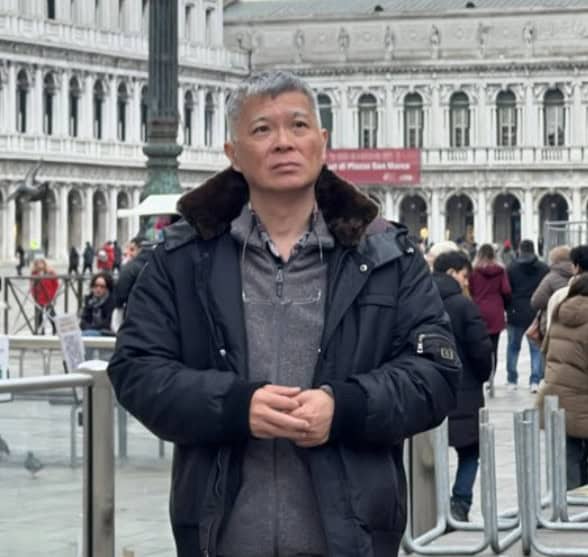
Michael Koh is a production specialist and entrepreneur who founded Spring Forest Studio in 2017 to provide event and virtual production solutions in Singapore. He specialises in hybrid live streaming, XR (Extended Reality) virtual production, and studio systems integration, transitioning the business from traditional videography to advanced corporate broadcasting. Operating out of a dedicated facility at NordCom2 in Singapore, he leads a technical crew to deliver multi-camera webcasts, digital sets, and technical consultations for large-scale corporate events.